TABLE OF CONTENTS
Error description
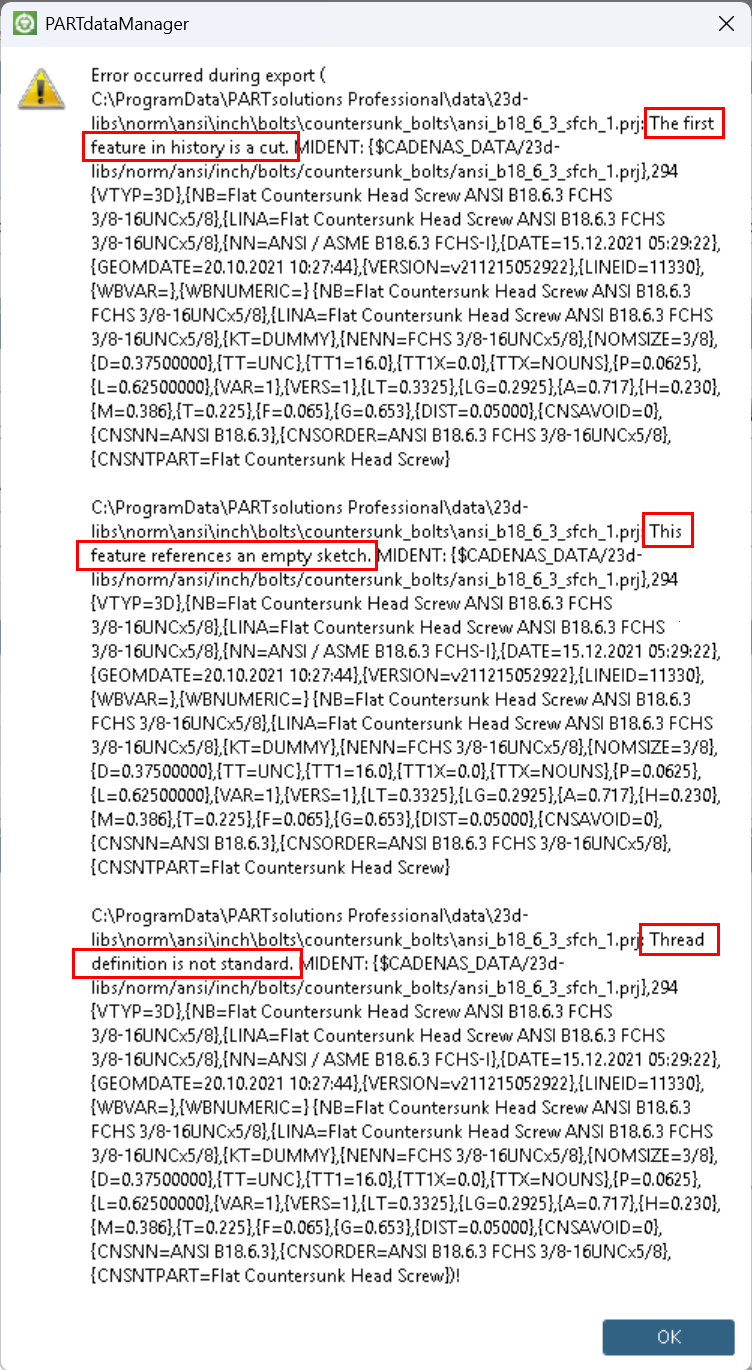
When loading a part in PARTdataManager which shows broken or empty geometry or when exporting a part to a CAD system fails, the following errors appear:
- Thread definition is not standard.
- The first feature in history is a cut.
- This feature references an empty sketch.
Solution approach
These errors are caused by obsolete or missing threads database. The threads can be installed/updated via PARTadmin either online or offline.
Solution 1
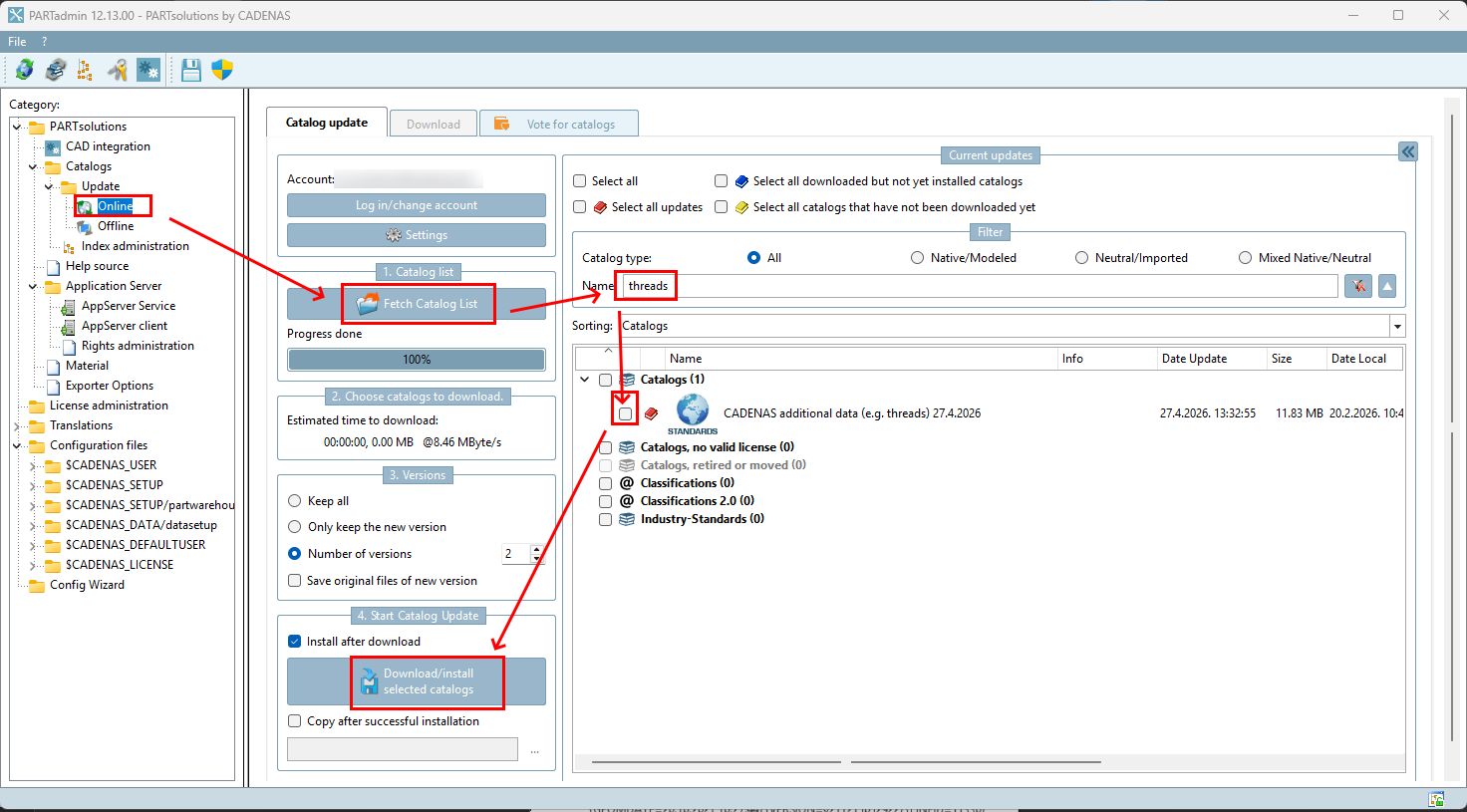
Online solution:
Open the Online update in PARTadmin, search for "threads" and install the database.
Solution 2
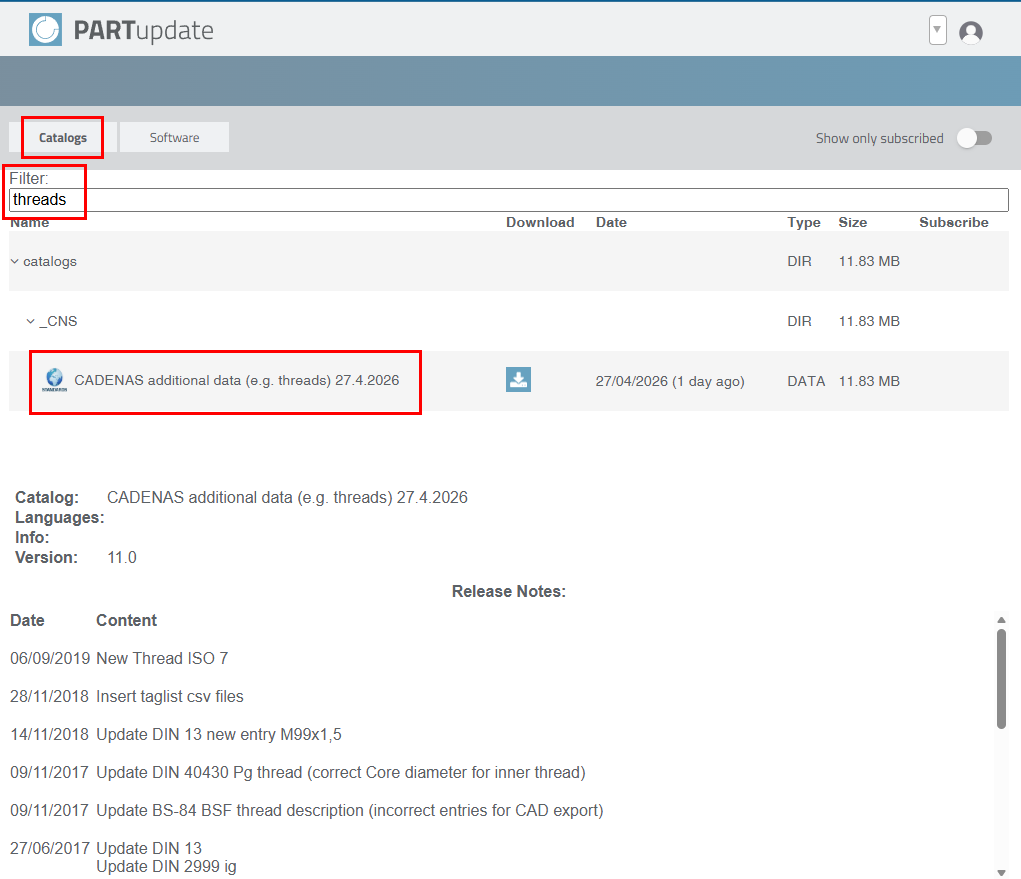
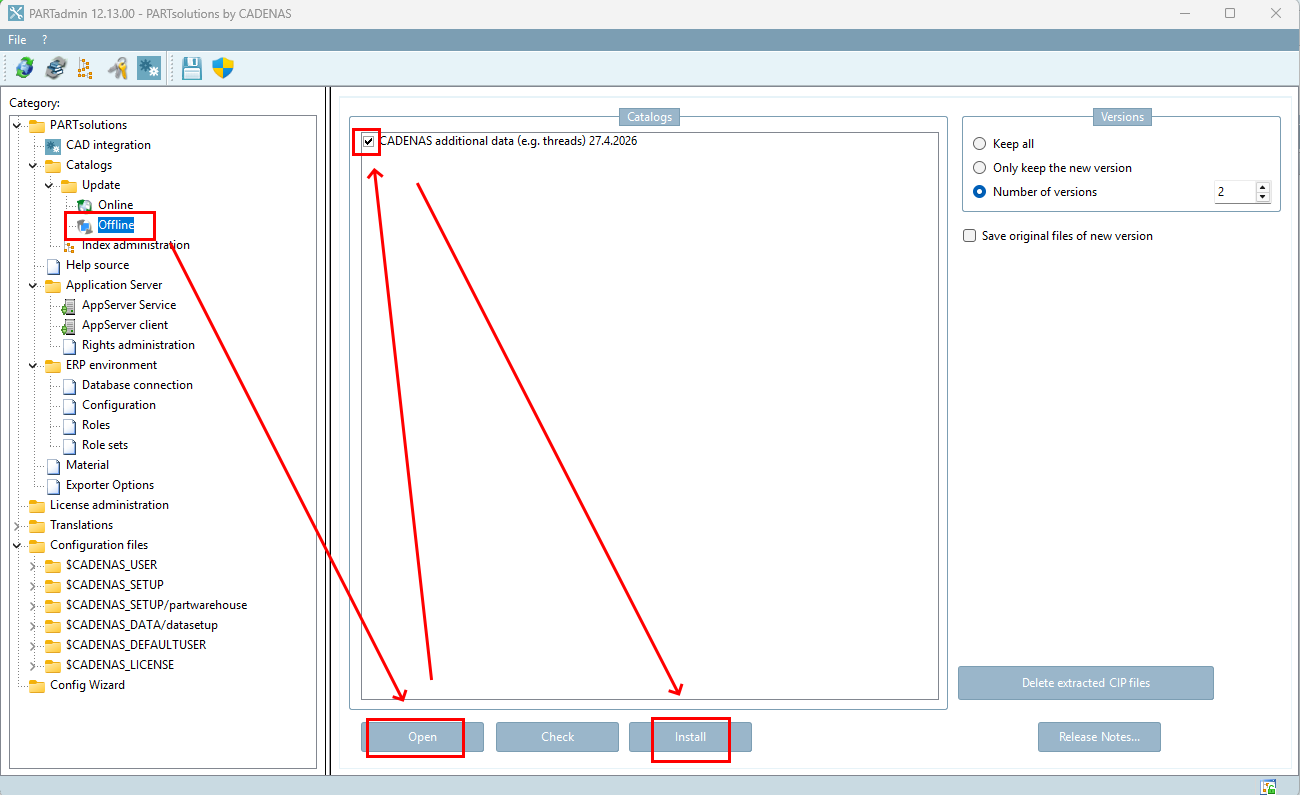
Offline solution:
Download the database via a web browser from PARTupdate, and install with PARTadmin in offline mode.
Further steps
If the solution/approaches described above have not helped, so that an error message continues to appear or you have a query about the article, you can contact our support team in writing at any time.
To open a ticket, you can register or log in at the top right of this page.
Was this article helpful?
That’s Great!
Thank you for your feedback
Sorry! We couldn't be helpful
Thank you for your feedback
Feedback sent
We appreciate your effort and will try to fix the article