TABLE OF CONTENTS
Error description
Scenario: you're trying to check-in projects or upload changes in the catalogue, but one of the following errors appear:
- "Previous operation has not finished; run 'cleanup' if it was interrupted"
- "Attempted to lock an already-locked dir"
- "failed to run the WC DB work queue associated with" ... "Access is denied"
Solution approach
There are built-in features in PARTproject that can help with these errors. Use one or the other.
Solution 1 (versions up to V12.13)
1. navigate to the main directory of the catalogue
2. press CTRL + right-click
3. navigate to "Versioning system" and select "Delete lock-files"
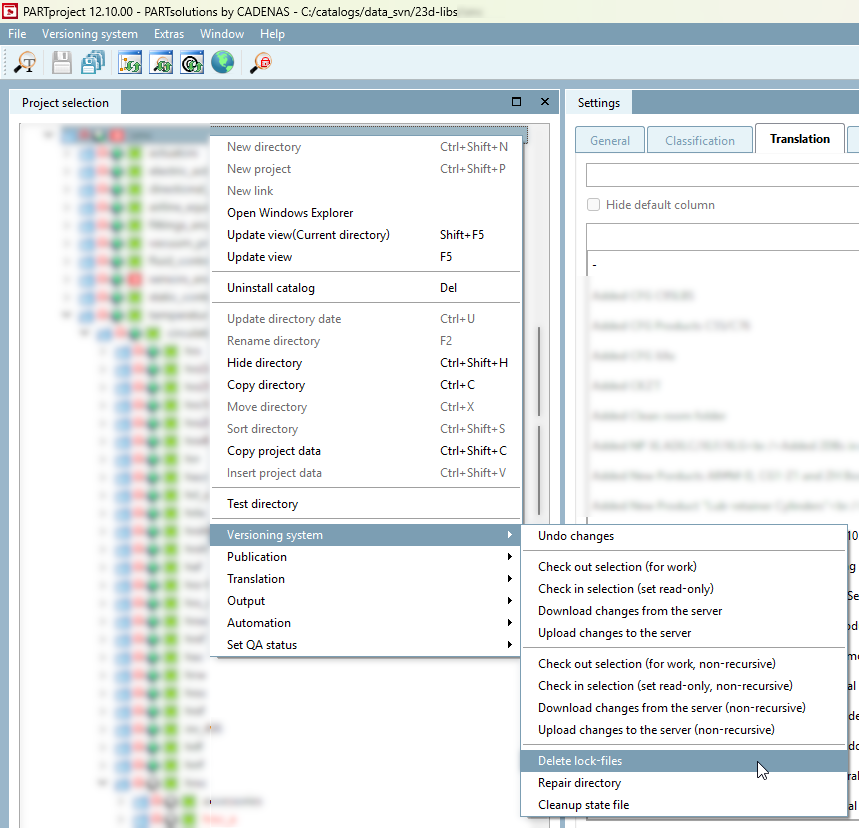
4. retry the operation
Solution 1 (versions V12.13 and later)
1. navigate to the main directory of the catalogue
2. press CTRL + right-click
3. navigate to "Versioning system" and select "Cleanup"
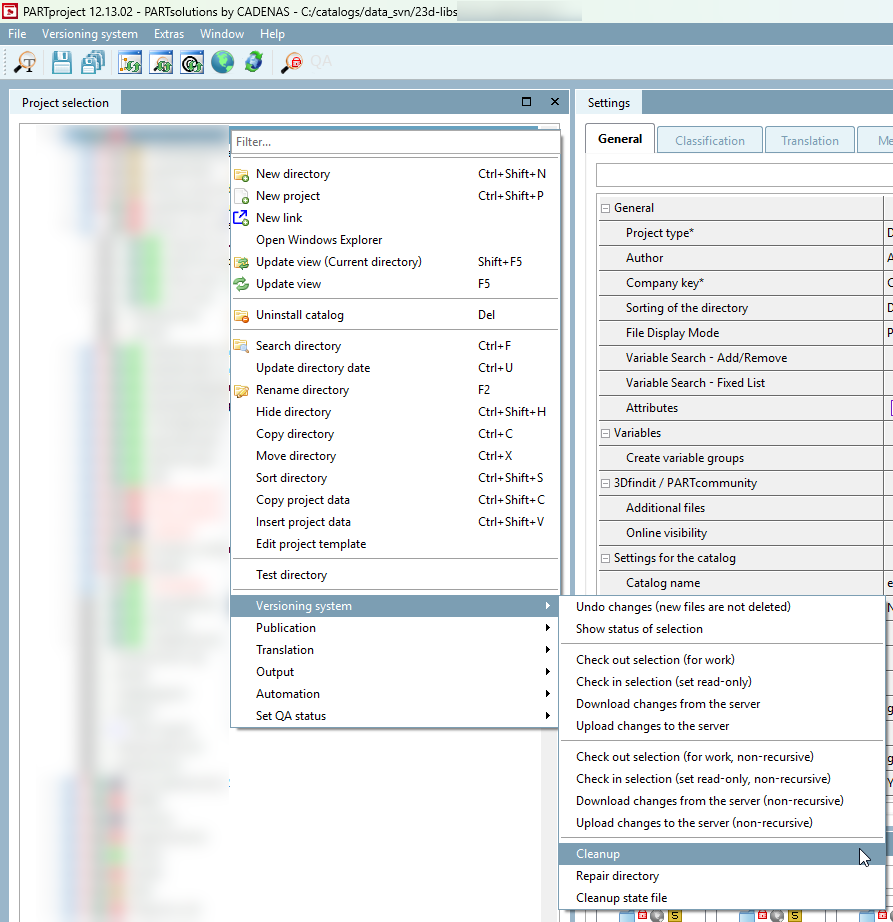
4. select the first three options in the dialogue, "Break write locks", "Fix time stamps", "Vacuum pristine copies" and press OK
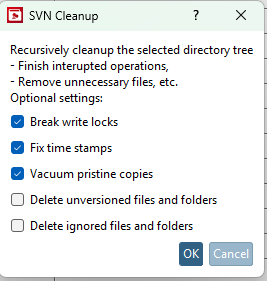
4. retry the operation
Solution 2
1. navigate to the main directory of the catalogue
2. press CTRL + right-click
3. navigate to "Versioning system" and press "Cleanup state file"
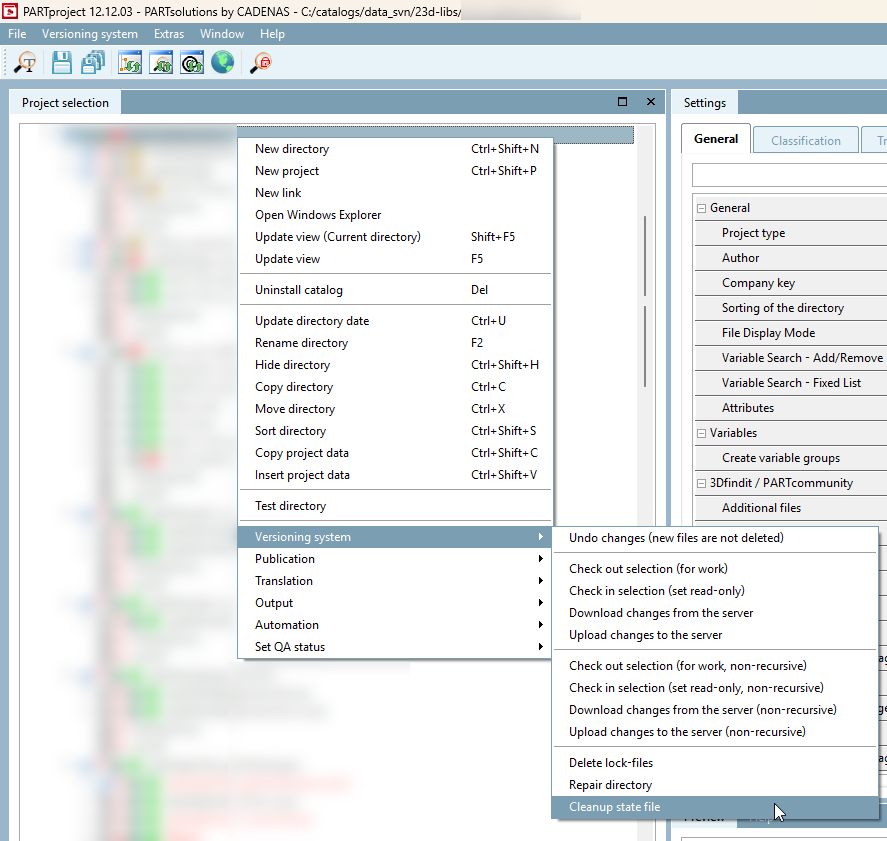
4. select the two checked options and press OK
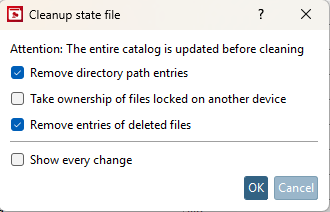
5. retry to upload or check-in catalogue changes
Further steps
If the solution/approaches described above have not helped, so that an error message continues to appear or you have a query about the article, you can contact our support team in writing at any time.
To open a ticket, you can register or log in at the top right of this page.
Was this article helpful?
That’s Great!
Thank you for your feedback
Sorry! We couldn't be helpful
Thank you for your feedback
Feedback sent
We appreciate your effort and will try to fix the article